Search Optimization
From Broken to Better
October–November 2025 | UC San Diego Health
The Challenge
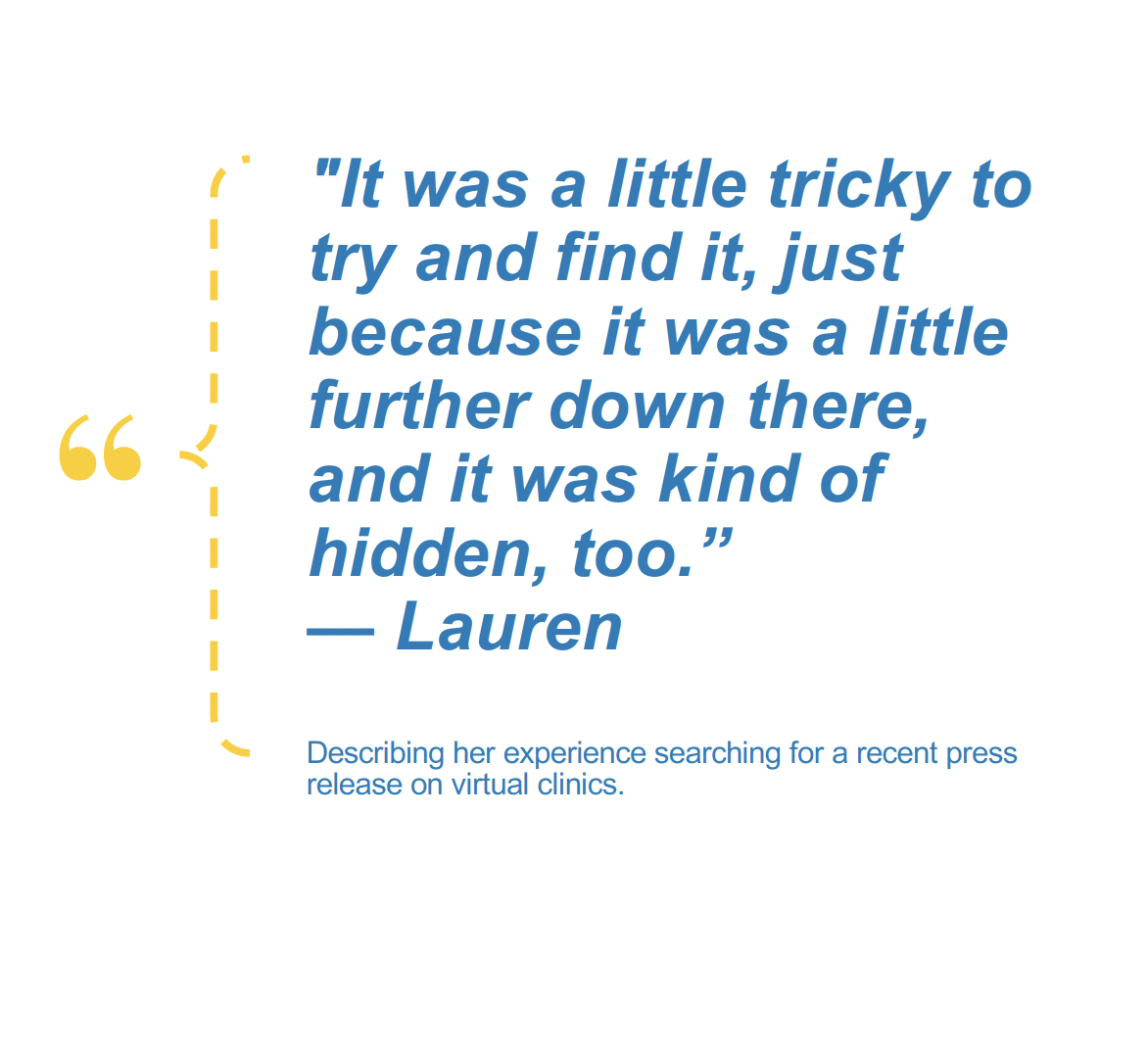
Multiple teams complained that search didn't work. Media relations couldn't find their own press releases. Content creators watched as carefully crafted pages vanished from results. Leadership expressed frustration that basic searches failed. But "search doesn't work" isn't actionable feedback—we needed to understand why it failed and for whom. Was this a technical problem, a content problem, or a fundamental mismatch between how the system worked and how people expected it to work?
Business Objectives
Diagnose the root causes of search failure across different user groups and content types
Quantify the problem with measurable success rates, error patterns, and user satisfaction scores
Understand user behavior to distinguish between system failures and user education gaps
Provide actionable recommendations prioritized by technical feasibility and user impact
Create sustainable documentation to prevent future search degradation as content evolves
My Role & Responsibilities
As Lead Researcher, I designed and executed a search evaluation combining mixed-methods usability testing with 9 participants (5 external patients, 4 internal team members), quantitative performance measurement across 5 task scenarios, qualitative think-aloud protocols to capture reasoning and frustrations, and synthesis of findings into prioritized recommendations with implementation timelines.
I collaborated with the development team to understand technical constraints, the Marketing and Communications team to document their workflow challenges, and leadership to align recommendations with organizational priorities.
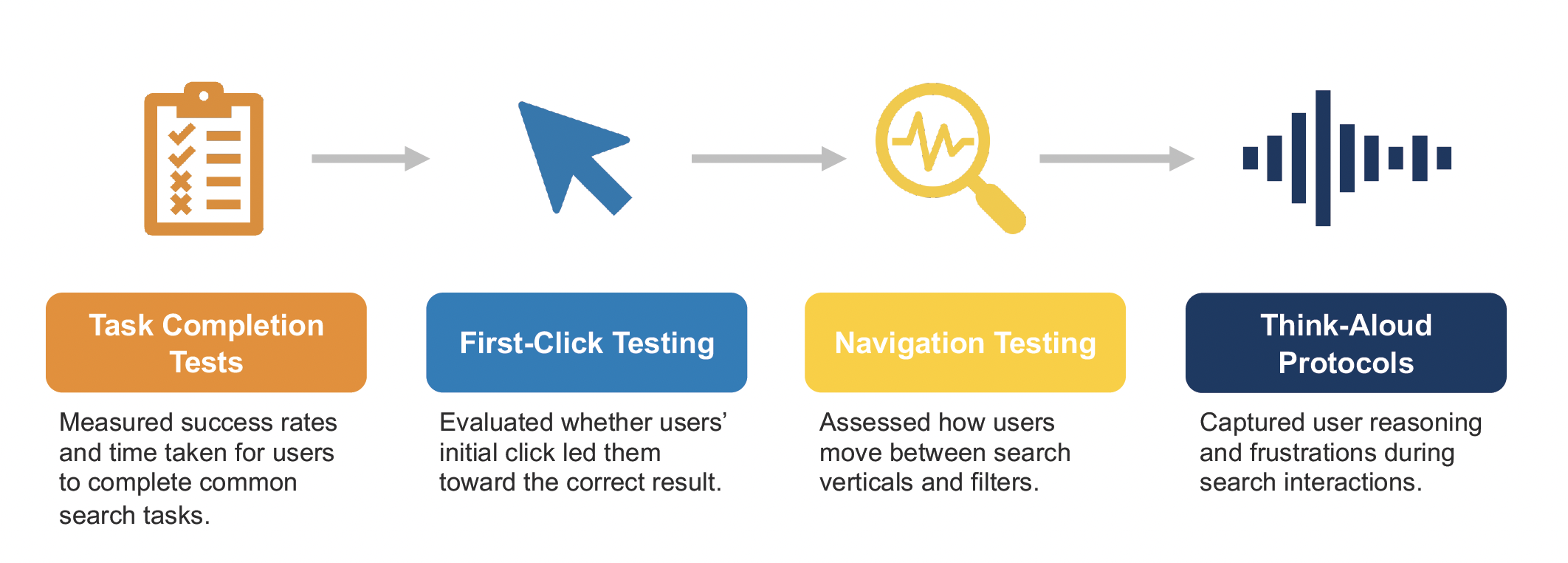
Presentation slide describing tasks performed for this usability test.
-
Study Type: Mixed-Methods Usability Study
Timeline: October 23–November 4, 2025
Participants: 9 total (5 external patients including 4 UCSD Health patients and 1 Kaiser patient, 4 internal MarCom team members)
Age Range: 21-69 yearsPhase 1: Technical Discovery
Web development analyzed Yext algorithm configuration and customization settings
Identified gaps between system capabilities and team expectations
Phase 2: Quantitative Task Testing
Task 1: Locate patient resource on obtaining flu shot
Task 2: Search for financial assistance information
Task 4: Find primary care provider accepting new patients
Task 5: Find latest press release about virtual clinics
Metrics Tracked:
Task success rate (target: 90%)
Abandonment rate (target: <30%)
Time on task (target: <3 minutes)
Error rate (target: <2 errors per task)
Confidence rate (target: 90%)
Search refinement rate
Vertical/filter usage patterns
Phase 3: Qualitative Investigation
Think-aloud protocols during search tasks
First-click testing to evaluate initial navigation decisions
Post-task satisfaction ratings (5-point scale)
Open-ended feedback on frustrations and expectations
-
Basic Patient Resources Excel, Complex Queries Fail: While straightforward searches for flu shots and financial assistance achieved 100% success rates, news article discovery collapsed to 55% success—35 percentage points below target. This stark contrast revealed that search worked when queries matched content structure but failed when users needed to discover recently published or dynamically organized content.
Internal Teams Experience Completely Different Search: Internal users rated satisfaction at 2.8 out of 5 compared to 4.0 for external users—a 1.2-point gap that exposed fundamental workflow problems. 75% of internal users reported bypassing internal search entirely, using Google to find UCSD Health content instead.
Three Critical Failure Patterns Emerged:
1. News Articles Buried or Missing (55% Success Rate)
Articles appeared far down results or didn't surface at all
44% abandonment rate (14 points above acceptable threshold)
Users refined searches 0.44 times per task, indicating they gave up rather than persisted
Internal teams waste time locating content they personally published
2. Provider Availability Invisible (89% Success Rate)
Existing "Accepting New Patients" indicator went completely unnoticed—0 of 5 participants saw it
80% of users couldn't determine availability without clicking through multiple pages
Users made assumptions rather than finding information: "I'm just going to assume that since I filtered by 'accepting new patients,' these all accept new patients"
3. "Webpages" Filter Confuses 60% of Users
3 of 5 external users couldn't explain what "Webpages" contained or assumed it was identical to "All"
3 of 4 internal users felt the label should be changed
Users expressed: "Every page I click on here will be a webpage... it's very confusing"
44% Adopted Autofill Successfully: The autofill feature proved valuable, guiding queries and reducing cognitive load for nearly half of users—a bright spot demonstrating that helpful interface elements do get noticed and used.
-
Immediate Actions Identified:
Algorithm adjustments to prioritize news articles in results
Provider card redesign to display "Accepting New Patients" status prominently
Filter consolidation removing "Webpages" and simplifying to: All, Providers, Locations, FAQs, News
Search bar visibility improvements after 2 users reported it blended into page design
Documentation Created:
Technical guide
Writer guide summarizing what content gets indexed and optimization strategies
Strategic Recommendations Prioritized:
Short-term (30-90 days):
Provider availability display (high impact, moderate complexity)
Filter structure simplification (moderate impact, low complexity)
Search bar prominence enhancement (moderate impact, low complexity)
Location accuracy improvements for proximity searches (moderate impact, moderate complexity)
Advanced news filtering (date, author, topic, content type) for internal efficiency
Long-term (90-180 days):
Algorithm optimization for content type prioritization based on query intent
Expected Outcomes:
Reduce search time for internal teams
Improve content discoverability for external audiences
Enhance patient confidence during provider selection by eliminating information gaps
Create sustainable search quality through documentation and ongoing monitoring
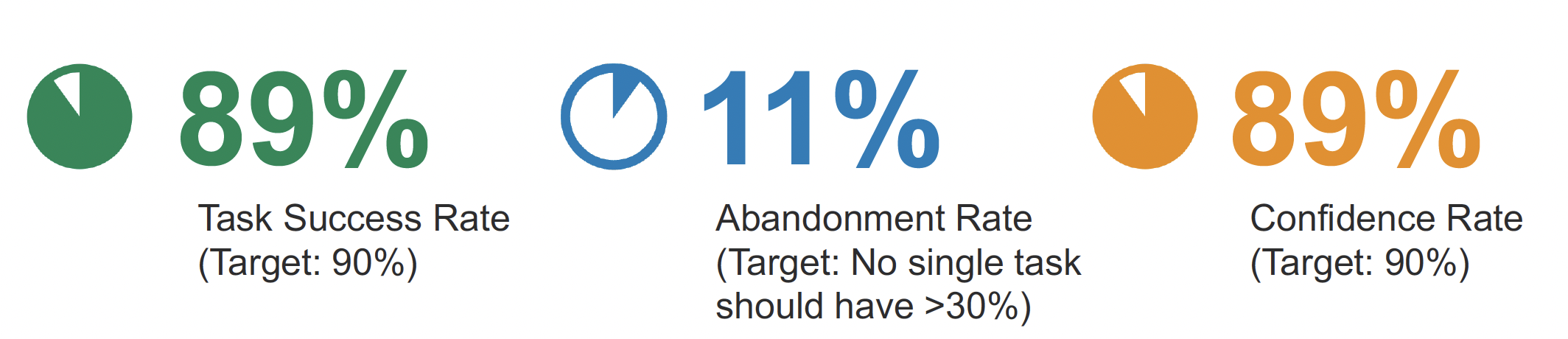
Presentation slide sharing task success rate, abandonment rate, and confidence rate for one of the tasks completed by users.
What I Learned
"Search doesn't work" meant completely different things to different people: I started this project expecting to find one broken system. Instead, I discovered that external patients found search perfectly adequate for their straightforward needs while internal teams experienced total failure for their complex workflows. This taught me that user satisfaction scores can mask critical problems—the 3.5 overall rating hid the 2.8 internal user frustration that represented real operational dysfunction.
Quantitative metrics alone would have led to wrong conclusions: If I'd only looked at the 89% provider search success rate, I might have declared victory—it's just 1 point below the 90% target. But qualitative observation revealed that 100% of users missed the availability indicator and were making assumptions. The "success" was accidental, not designed. This reinforced that task completion doesn't equal good experience.
Small sample sizes can reveal big problems when patterns are clear: With only 9 participants, I initially worried the findings wouldn't be credible. But when 100% miss a feature, 75% bypass your system entirely, and satisfaction scores show a 1.2-point internal/external gap, the patterns are undeniable. I learned to trust strong signals even from modest sample sizes, especially when qualitative and quantitative data align.
Prioritization requires balancing impact, feasibility, and sustainability: I wanted to recommend fixing everything immediately. But working with the development team taught me to categorize recommendations by implementation complexity and create phased timelines. The provider availability fix delivers high impact with moderate effort, while advanced news filtering requires significant work—sequencing matters as much as identification.
Why This Project Matters
Search is the primary pathway to information on complex websites. When search fails, people can't find critical health resources, internal teams waste hours on basic tasks, and confidence in the entire digital experience erodes. This research didn't just identify problems—it quantified their severity, explained their causes, distinguished between user education and system failures, and provided a roadmap for sustainable improvement. By combining technical analysis, quantitative measurement, and qualitative insight, this work transformed vague complaints into actionable solutions prioritized by real impact.
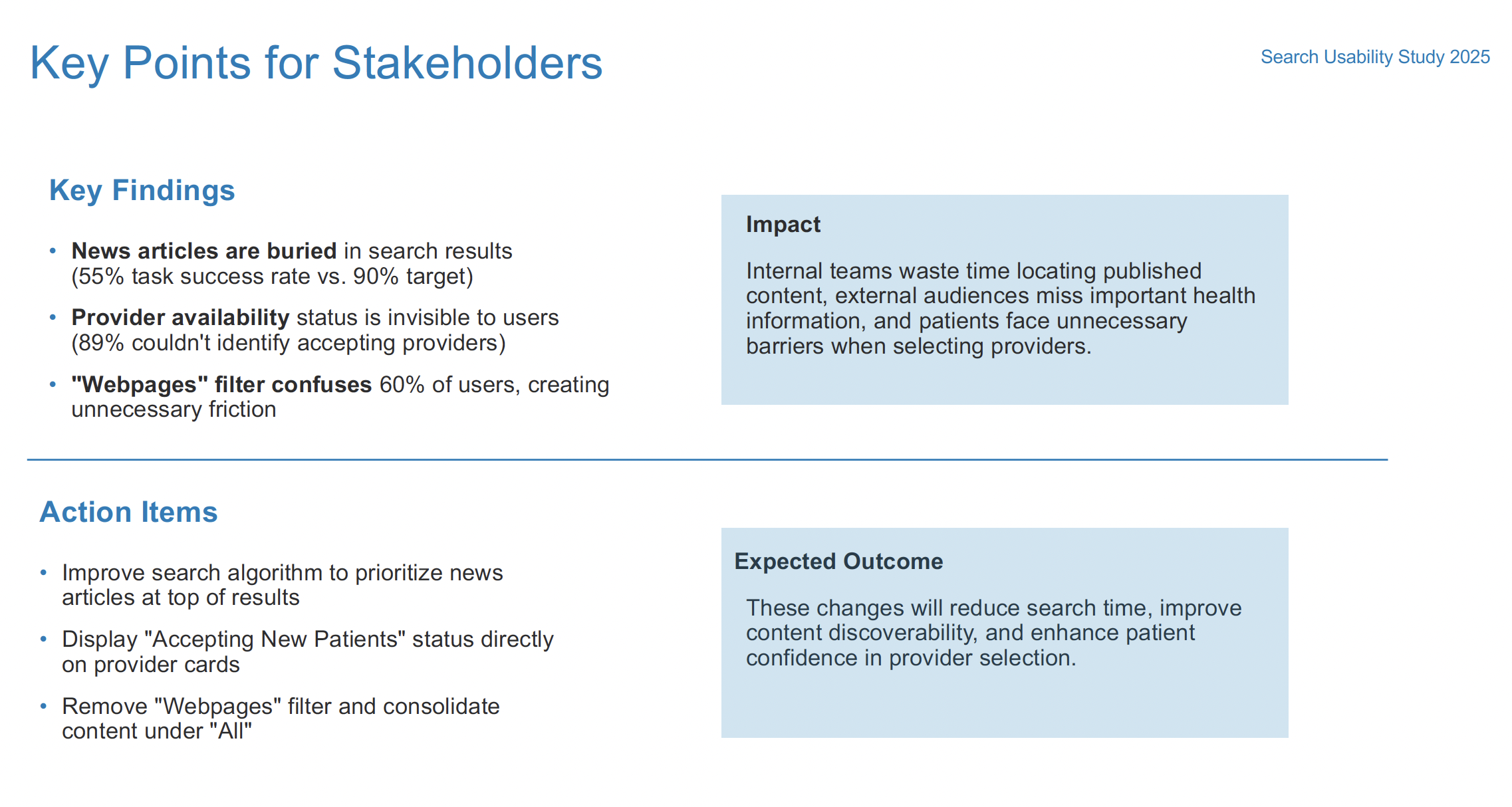
Presentation slide preview summarizing key points for stakeholders.
Research Methods: Usability testing • Task analysis • Think-aloud protocols • First-click testing • Performance metrics • Satisfaction measurement • Technical analysis • Mixed methods synthesis
Skills Applied: Study design • Quantitative and qualitative analysis • Technical system evaluation • Stakeholder interviewing • Prioritization frameworks • Implementation planning • Documentation creation • Cross-functional collaboration